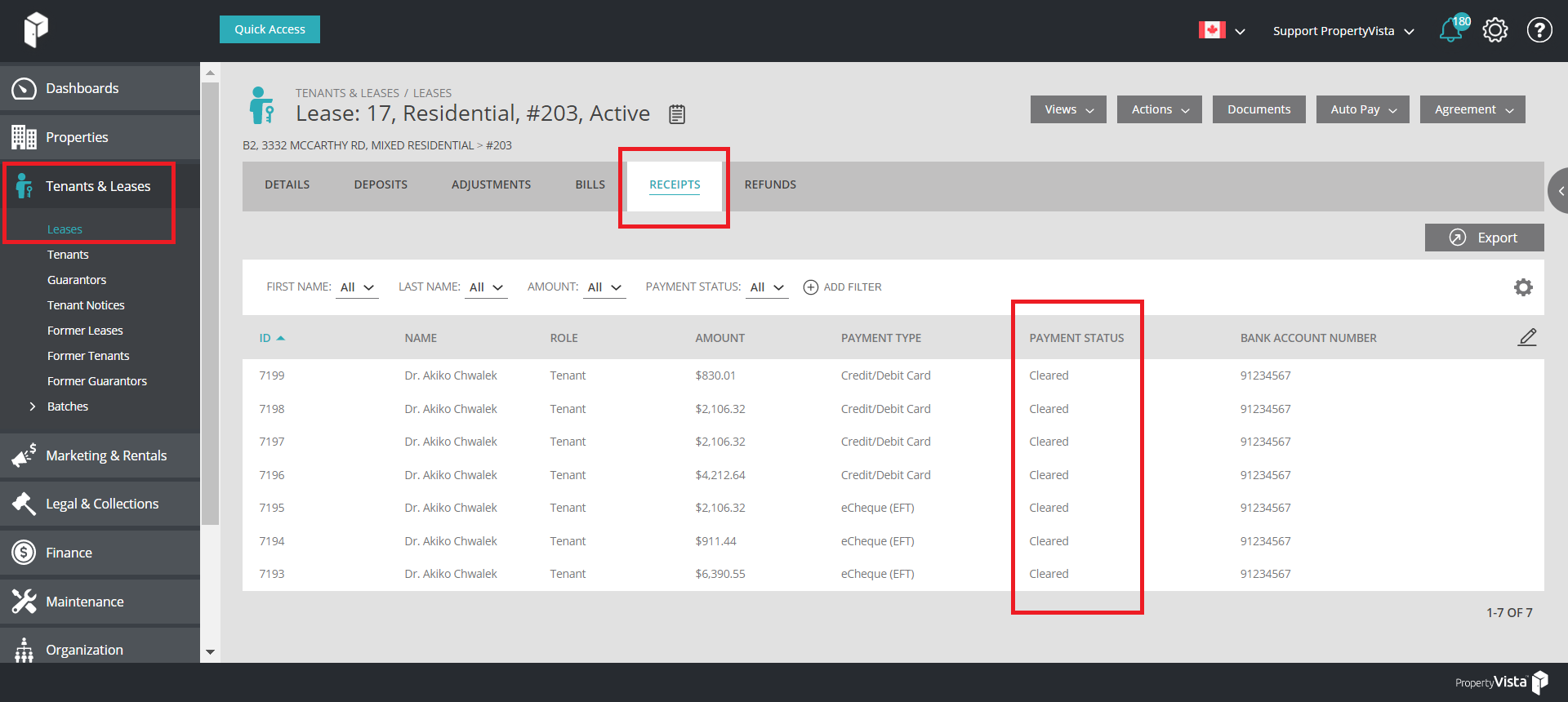
You may check payment statuses in real-time.
Navigate to Tenants & Leases → Leases → Click into the Lease in question → Receipts
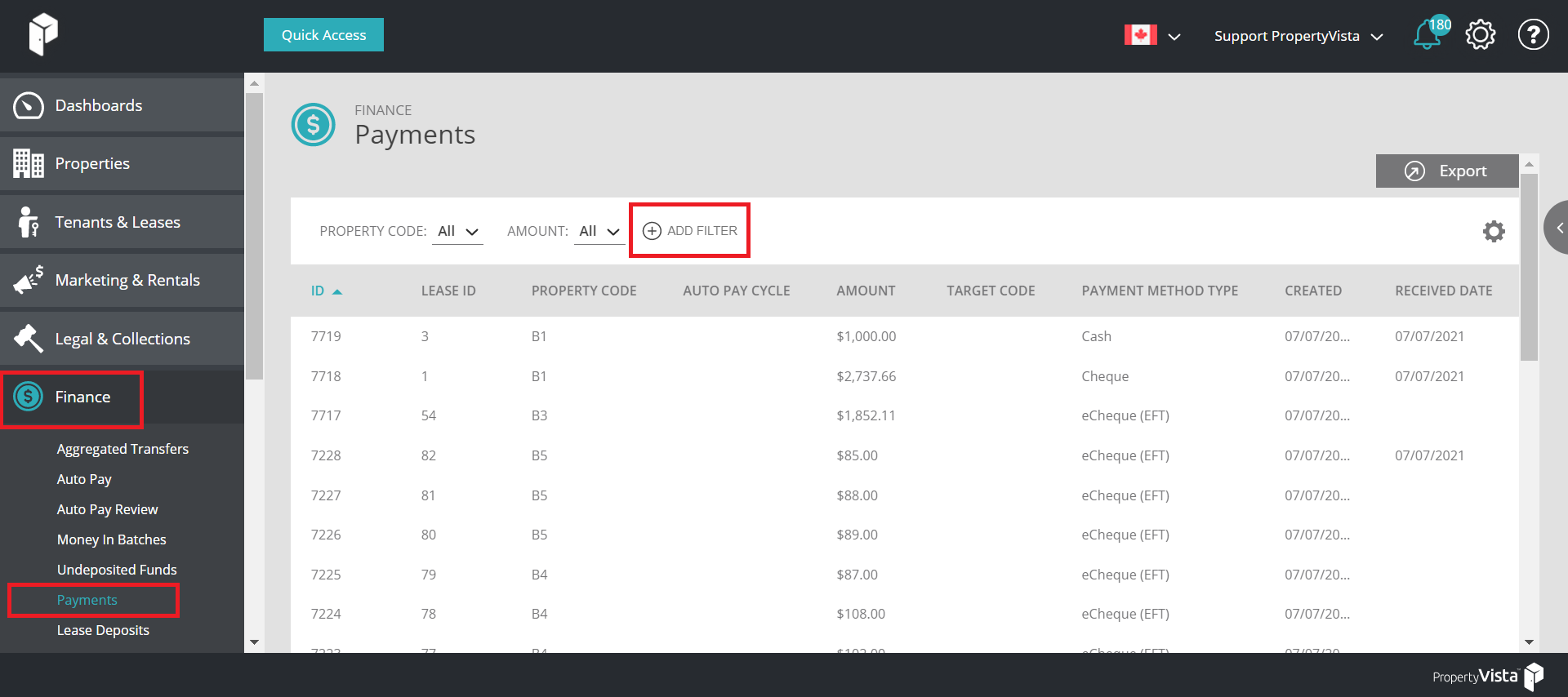
To view payments in BULK, including ALL existing payments in the system and their respective status - Navigate to Finance → Payments. Narrow down your results by utilizing existing report filters.
PAYMENT STATUS' EXPLAINED
| Submitted | The payment has been submitted for processing |
| Scheduled | The payment is scheduled to be processed |
| Pending Action | The payment is pending an action (Draft) - Need to select Actions - Submit or Cancel |
| Queued | The payment is in the queue to be processed by the bank |
| Processing | The payment is currently being processed |
| Received | The payment has been received |
| Cleared | The payment has cleared the account |
| Processing Reject | The payment is in the process of being rejected |
| Rejected | The payment has been rejected |
| Processing Return | The payment is in the process of being returned |
| Returned | The payment has been returned |
| Void | The payment is void |
| Canceled | The payment is canceled |